Start with a question, then collect
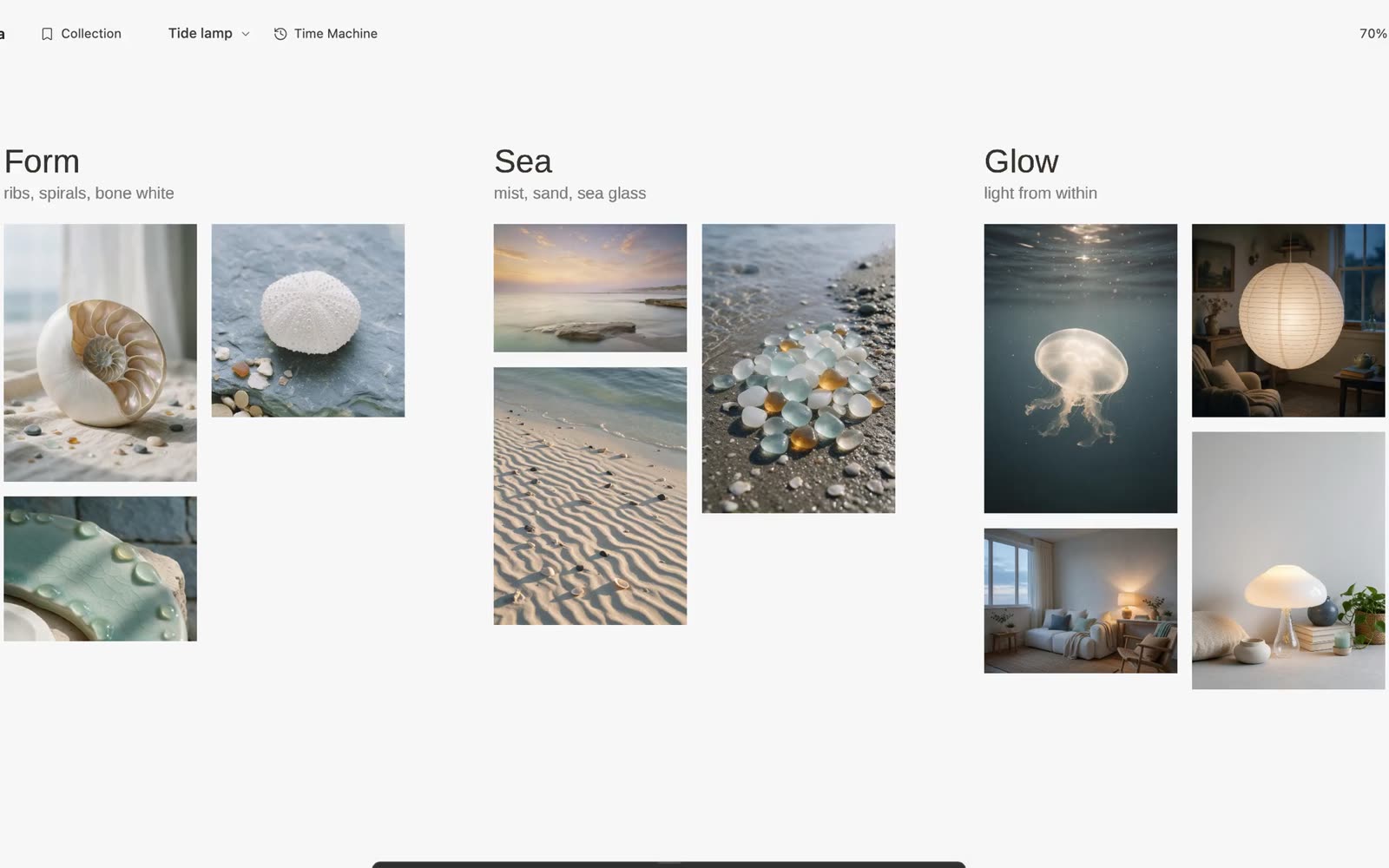
A useful reference board has a job. For a lamp, that might be: “What would make this feel warm and quiet on a small desk?” Collect a few examples of material, silhouette and light, rather than a long feed of things you like.
Galta opens beside a web page in Chrome or Dia on a Mac. Hover over an image and use Galta’s mark to keep it in Collection, then drag the references onto a canvas. The reference keeps its source so you can return to the page. You can also draw, write notes and arrange the board yourself, without an account or an agent.
Give the board a readable structure
Place contrasting references near each other. Add a short note explaining what matters: the edge of a shade, the warmth of a surface, or the space around an object. A screenshot alone rarely says which detail you intend to keep.
With an agent connected, try a specific request:
“Arrange these into two directions for a small desk lamp. Name each direction and explain which references support it. Keep the source images.”
This is an example prompt, not a guaranteed result. Check whether the groups reflect the images and whether the explanation preserves your intent. Move an item or ask for a correction on the same board.
Point at the detail you want to change
Sketch a silhouette, select an element, or draw a circle around a detail. Then ask for a change: “Use this curve, but keep the proportions of the lamp on the left.” A selection points at what you mean; the whole canvas remains context for the agent.
Galta’s lamp demonstration follows references through a sketch, generated imagery, an interactive page and a film. Image and video generation require your own connected provider and may incur that provider’s charges. Drawing and collecting do not require generation.
Compare directions without losing the original
Keep the reference material visible beside each result. Check the silhouette, materials and intended use before asking for more detail. Time Machine lets you revisit an earlier canvas state and continue along another direction; it is not a backup outside your browser.
When you want to keep or move the project, use Export canvas from the canvas menu. Place Collection items onto the canvas first if they should be included. Keep the exported .galta file, and check an import before removing the original. The backup guide explains what travels with it.
When this workflow fits
Use it when visual relationships matter: a product direction, a moodboard with a purpose, or several possible treatments of one idea. A browser bookmark list is enough when you only need to save links. Galta adds value when you want to compare, point, make and revise on the same surface.
The canvas lives in this browser profile. Cloud sync is not available. Collection does not grant a licence to reuse someone else’s image; check the source’s rights before publishing your work.