A direct definition
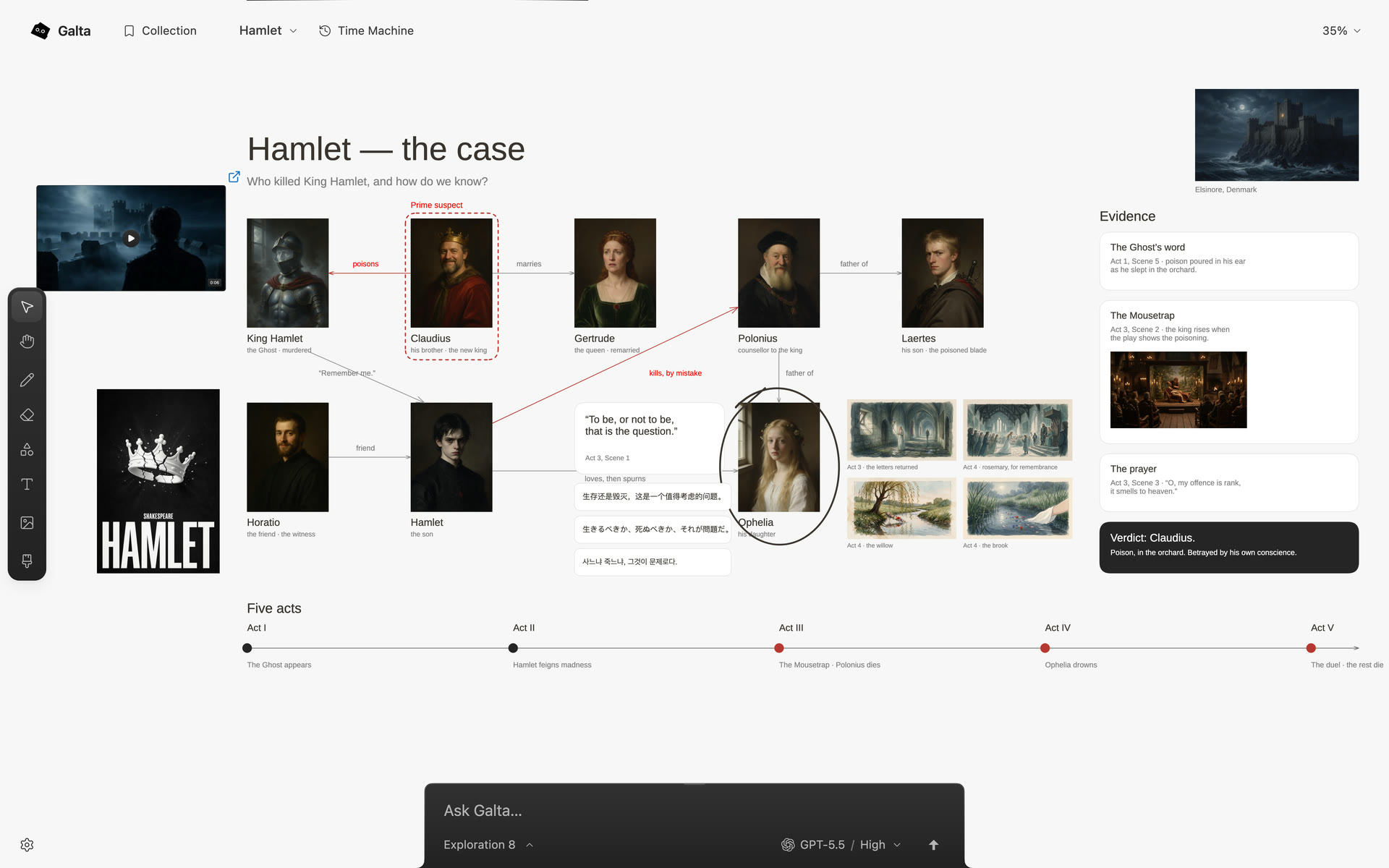
An AI infinite canvas — also called an AI visual canvas — is an open visual workspace where an agent can read the surrounding material, not only a blank prompt, and return a change to that same field. “Infinite” describes the space: there is no fixed board edge to fill before the thought can keep moving.
Galta puts references, words, sketches, web pages and results on one canvas. You can begin with almost any material, leave relationships visible, and decide what the work becomes as it develops.
What the public demonstration shows
The demonstration uses Galta’s own release interface, recorded in Chrome. The canvas, collection and editing tools are real; the agent’s steps were re-enacted for the camera. The images and films shown inside the canvas were generated separately with Seedream and Seedance.
That is evidence of the working surface and its interaction model, not a benchmark, a promise of autonomous taste or proof that every request produces the same result. Judge the product by trying a small task on your own canvas.
Why the canvas matters
A chat is useful when the answer is the work. A canvas becomes useful when the answer must stay beside its reasons: the reference that set the direction, the note that changed it, and the version you may want to revisit.
Galta opens beside the page you are browsing, keeps the source of a collected reference, and lets a gesture point at the detail that matters first. The whole field remains context, so the agent can work with the relationship rather than a detached crop.
It starts before generation
Some AI canvases are production workbenches: choose a model, write a prompt and collect outputs. Galta starts one step earlier. It keeps the live reference, the reason it matters and the next change in the same field.
Generation can be one optional capability. The canvas remains useful for collecting, comparing, sketching and deciding without it.
Try one complete loop
- Collect a few references from a page, Pinterest, Behance, Cosmos or anywhere else you are looking.
- Place them on the canvas and write one sentence about the decision you are making.
- Ask a connected agent to name two directions and explain the evidence for each.
- Point at one detail and ask for a small change.
- Compare the result with its source, then keep the version or continue from another branch.
The point is not to fill an endless board. It is to give an unfinished thought enough room to become specific without losing what led to it.
What “infinite” does not promise
Galta is a two-dimensional canvas beside a browser page. It does not claim holographic hardware, autonomous taste or a finished result from every request. The agent is optional: collecting, drawing, writing and arranging work without a connection.
The canvas is stored in the current browser profile and cloud sync is not available. Connected agents and generation providers have their own accounts, charges and data policies; check the boundary before using private material.