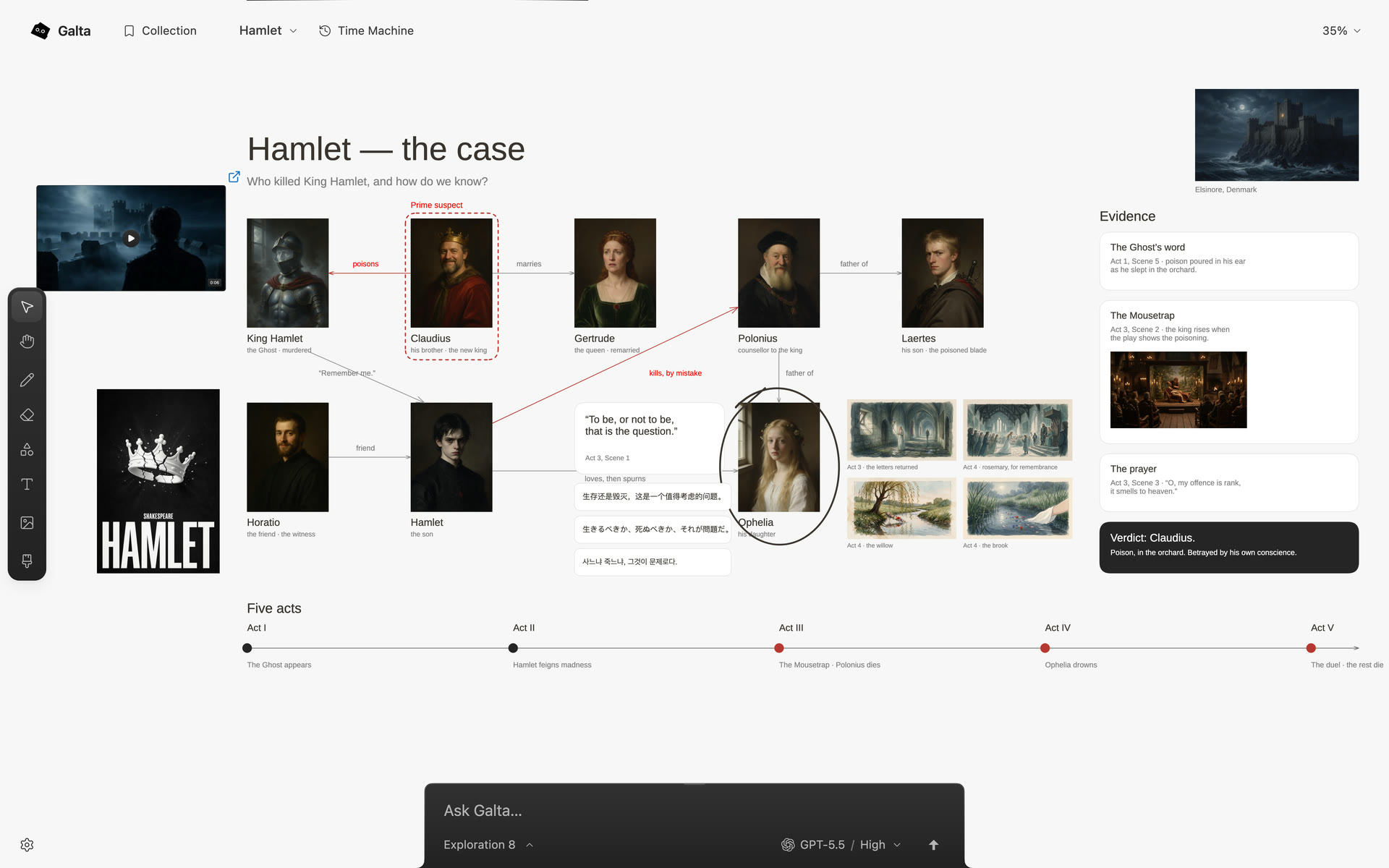
What is an AI canvas?
An AI canvas is a thought field: a visual place where materials, relationships and the work they set in motion remain together while an idea changes shape. Galta uses it for references, words, sketches, pages and results while the direction is still open.
A chat keeps an exchange in a line. This is the idea behind AI as a place to think: the canvas is not a backdrop for a reply, but where context accumulates, possibilities stay visible and the next move can emerge.
Keep the whole field in play
When you ask an agent to work, the whole canvas can inform the task. A selection, circle or gesture points to what deserves attention first; it does not erase the relationships around it.
That lets a request carry both a detail and its reason: “Use this silhouette, but keep the quieter material in that group.” The agent has a place to read the relationship instead of receiving a crop with the decision already removed.
Let pointing become a precise request
Galta starts from an ordinary human action: point, then ask. Draw a rough shape, circle a detail, or select an element. The gesture gives the agent a starting point while the canvas keeps the wider intent present.
You can do the same work yourself. Collecting, arranging, drawing and writing do not require an agent, so the surface remains useful before a connection and after one stops.
Put the result back where the thought lives
A successful task changes the canvas: an image, page, film, note or arrangement appears beside the material that led to it. You can compare the result with its source and continue from either one.
Versions and Time Machine keep alternatives available. A decision can become a branch without closing the road that produced it.
Know what this idea does not promise
Galta is a two-dimensional canvas beside a browser page, with an optional Mac runtime and compatible agents. It is not a claim of holographic hardware, autonomous taste or a finished result from every prompt.
The canvas lives in the current browser profile and does not provide cloud sync. Agent and generation providers have their own accounts, charges and data policies; check the page and canvas before sharing private material.